Streamlining workflows to address $30M+ in inefficiencies and cut unresolved defects by 50%
Lead UX Designer · Feb–Sept 2025 · Problem Solve associates worldwide
A $30M problem hiding in a tool nobody talks about
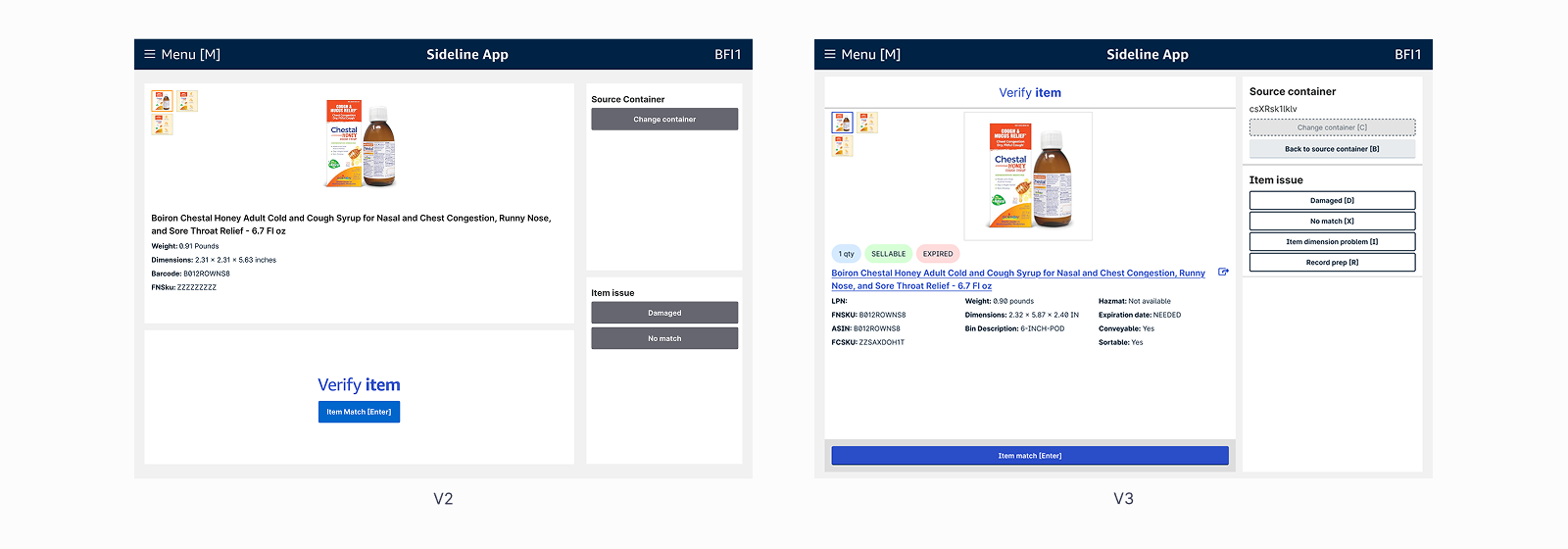
V2 forced associates across Sideline, FCResearch, and other tools for every defect. V3 consolidates the workflow. This case study covers the two features with the most direct impact: Scan Item and Verify.
Lead designer, end to end
Where every process path sends its problems
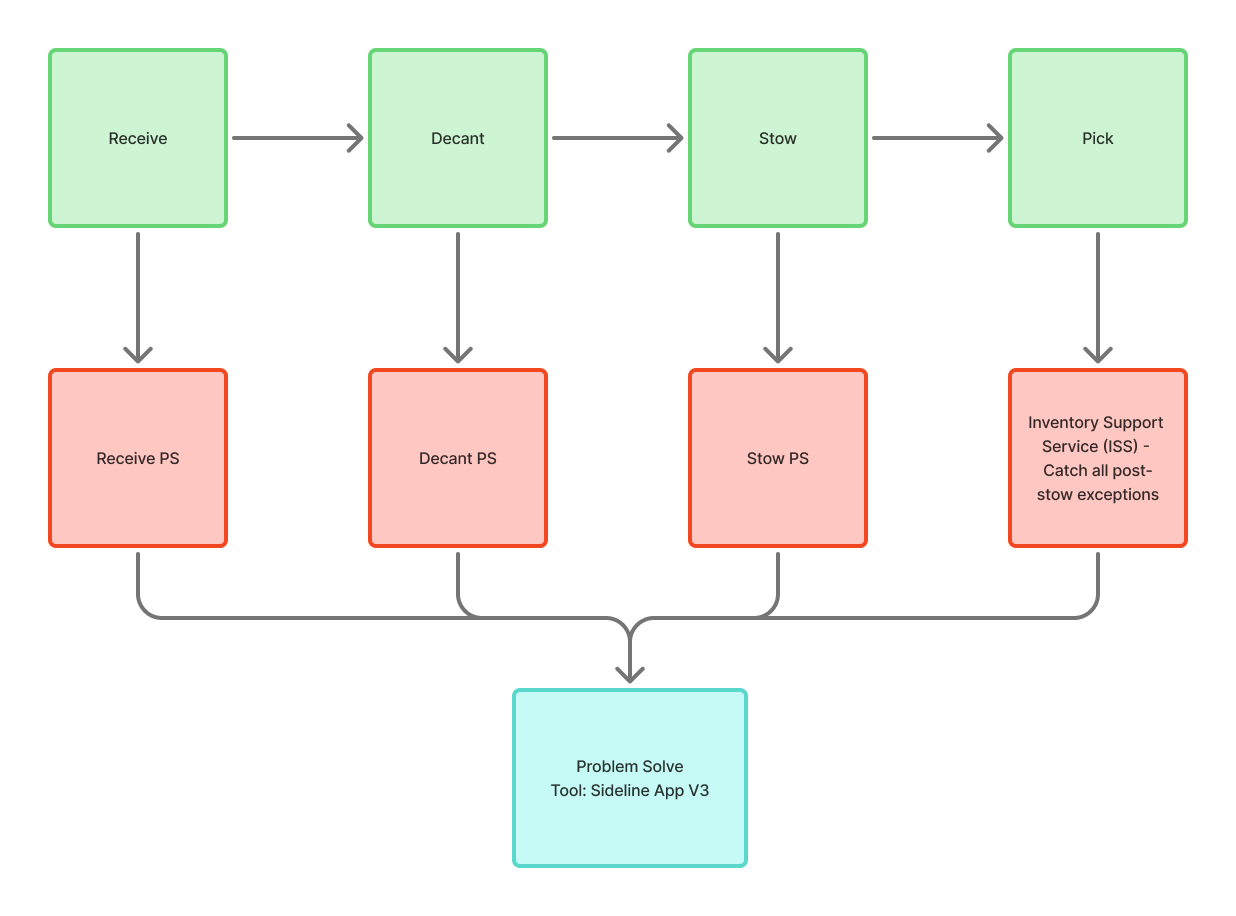
Every step of a fulfillment center can produce a problem: an item scanned into the wrong bin, a count that doesn't match, a product the system doesn't recognize. When that happens, it gets flagged and routed to Problem Solve. Sideline App is the tool Problem Solve associates use to work through those flags: figuring out what went wrong, how to fix it, and how to get the item moving again. V3 was focused on the post-receive paths, decant, stow, and pick, where the volume is highest.
The real problem wasn't tool-switching. It was trust.
Associates brought a mental model built over years of training and tribal knowledge: understand why a defect happened before acting on it. They didn't trust that Sideline knew the problem or the fix, so for nearly every defect they left to investigate in FCResearch first, then came back to resolve. The tool-switching everyone could see was the symptom. The trust gap underneath was the cause.
Two moments drove most of that distrust: Scan Item surfaced no container contents, and Verify was missing the attributes associates needed to act with confidence.
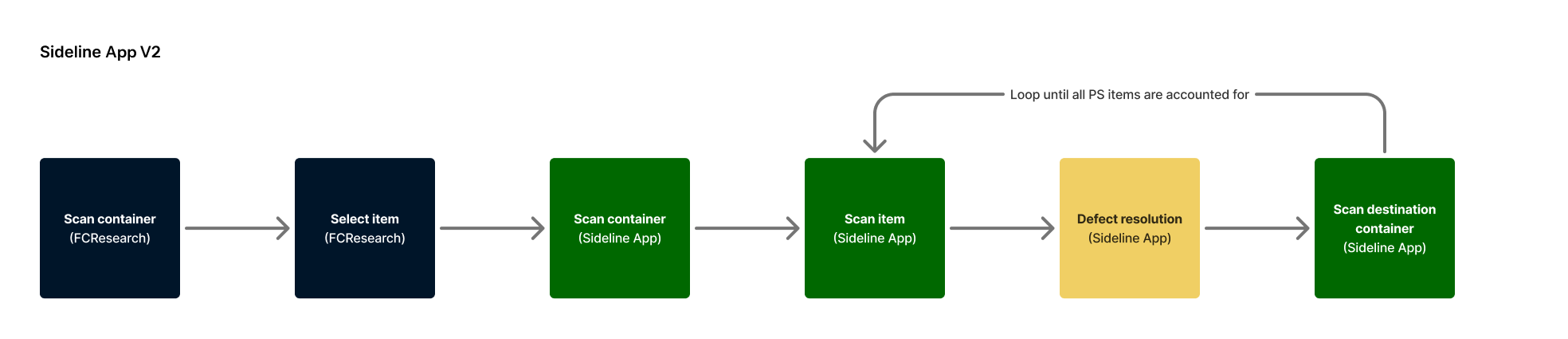
V2's framework, worldwide reach, and habits that don't vanish overnight
Real problems don't live in Figma or at a desk
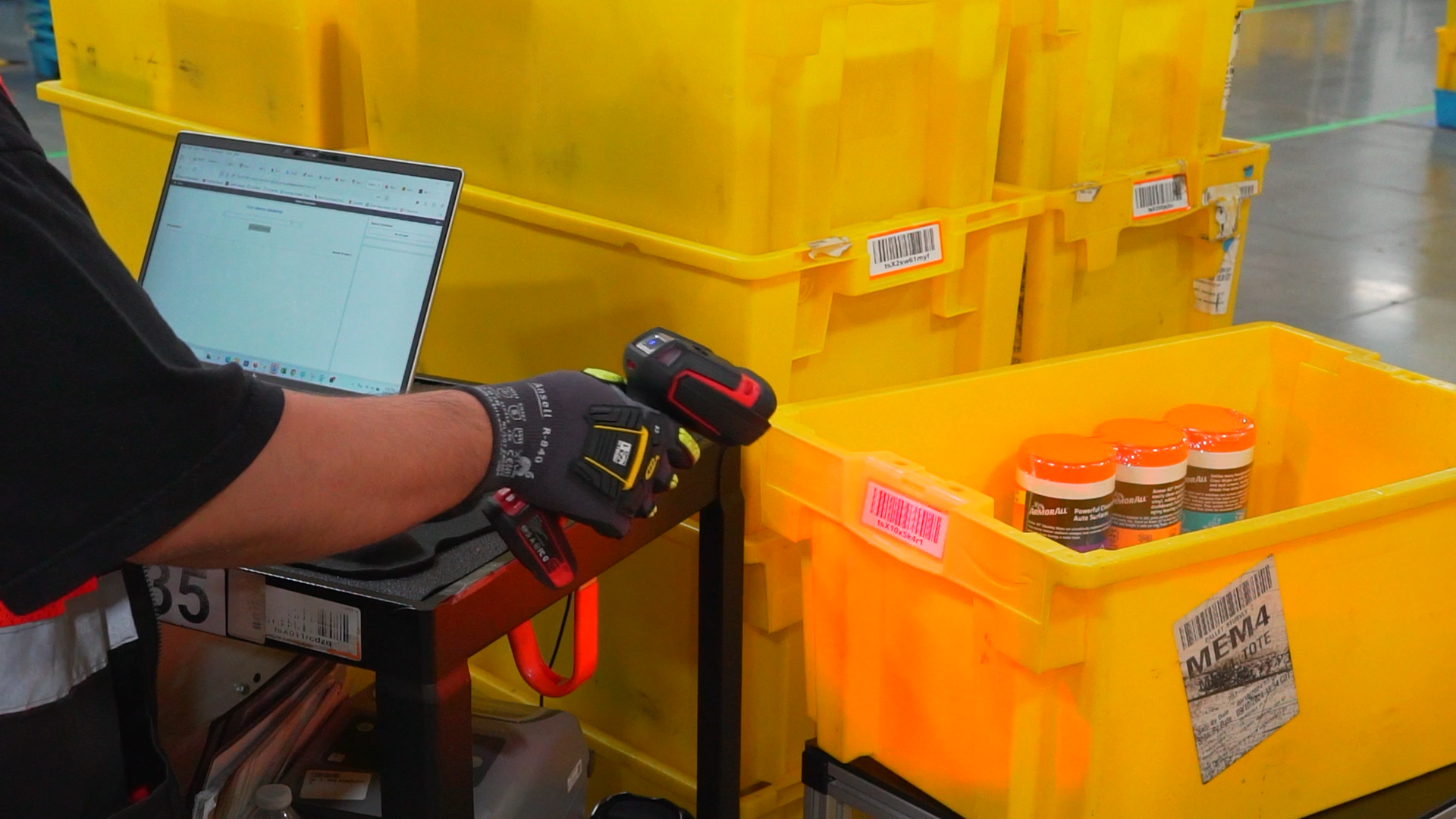
I led a one-day design sprint to align on V3 strategy, then went looking for what the sprint couldn't tell me. I shadowed associates across 13 fulfillment centers. Three patterns kept surfacing across all of them:
Field research as the foundation for V3
Cognitive load. Problem Solve already carries more context-switching than any other workflow in the building. Adding FCResearch fields into Sideline wasn't automatically the right move.
Understand what information associates were actually looking at, why they needed it at that moment, and how it helped them make the right call. The goal wasn't more data. It was the right data, at the right step.
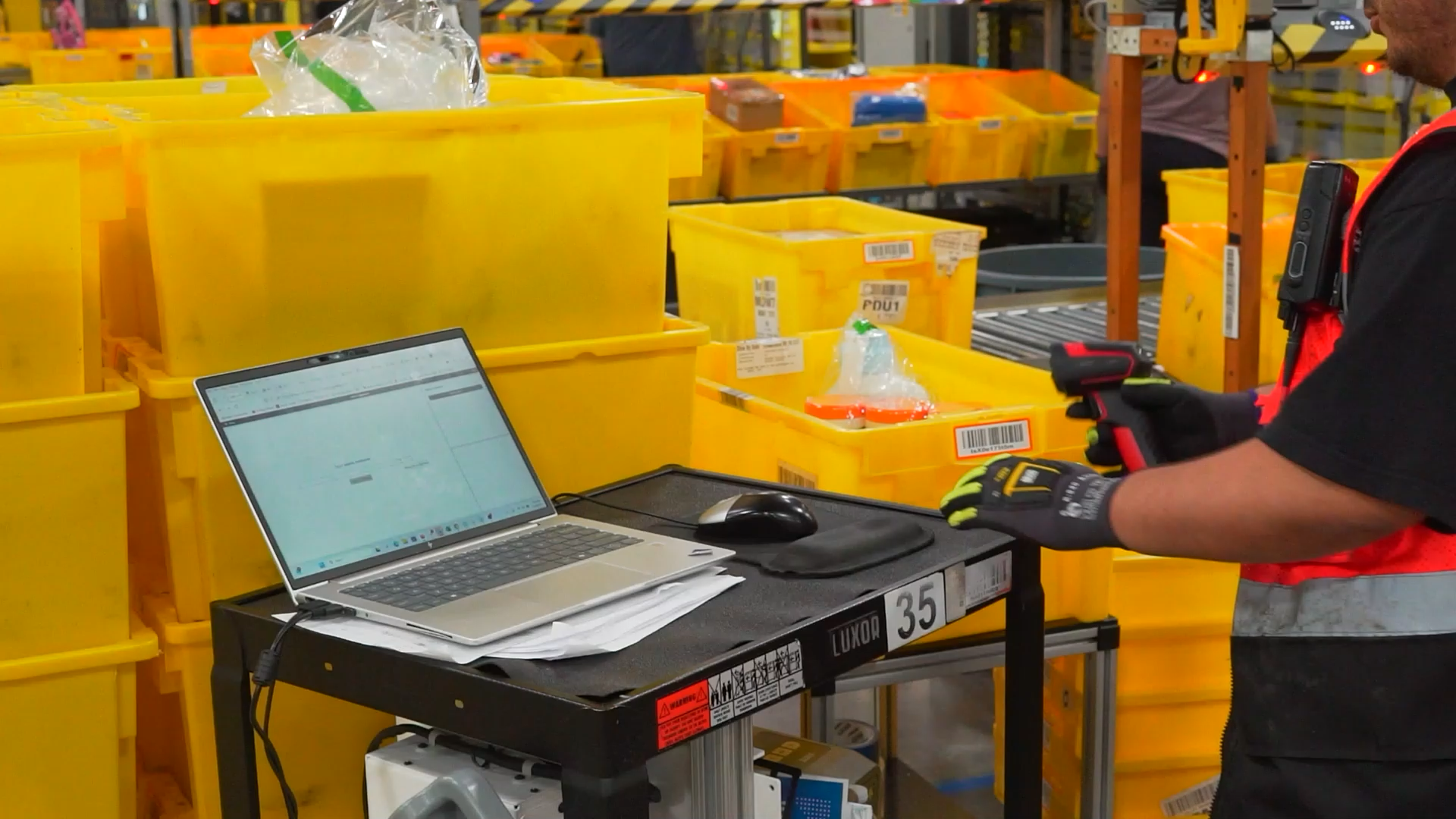
The physical context associates are working in when they use Sideline App.
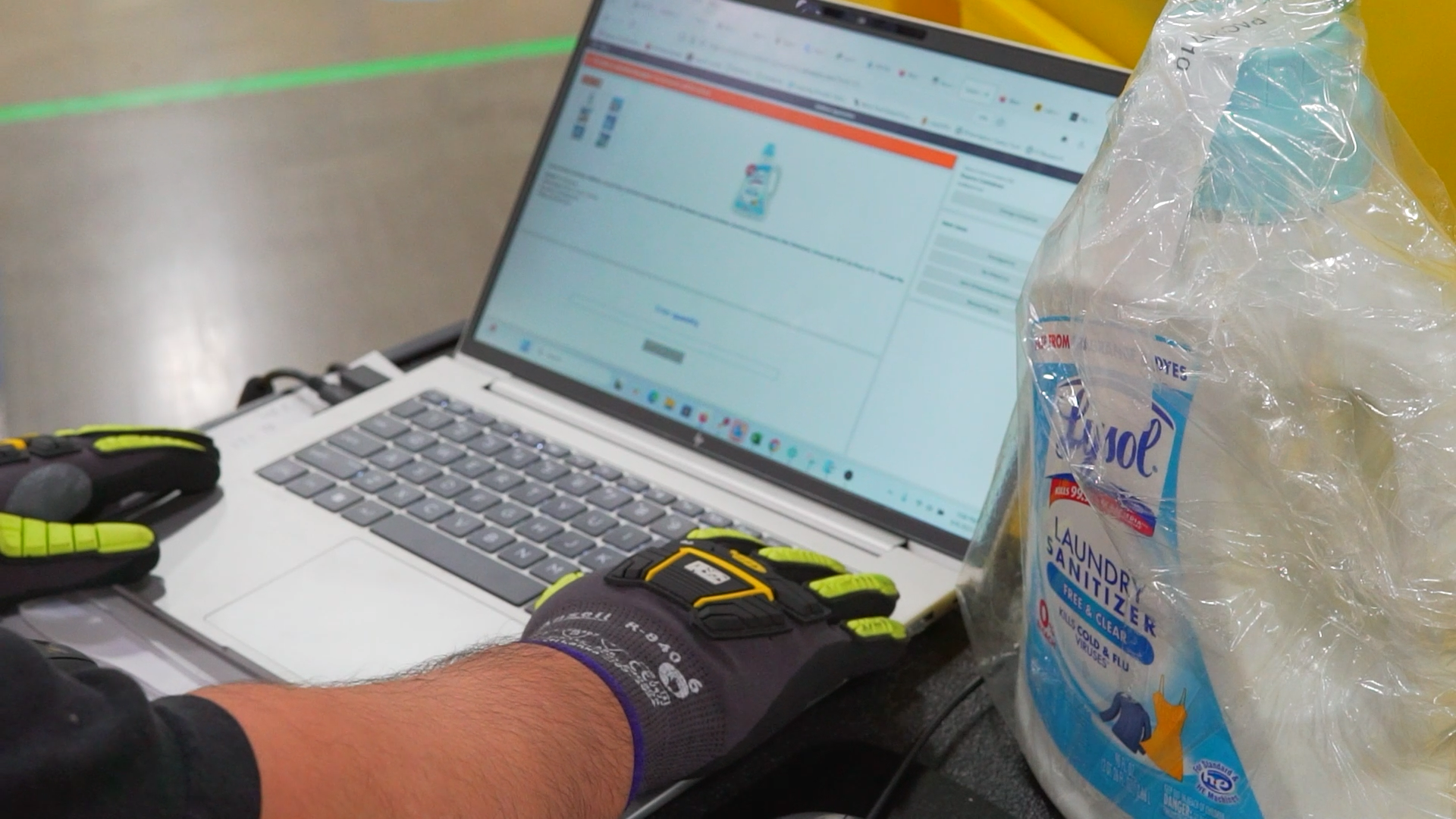
What Sideline App shows them at that exact step in the workflow.
Fixing the two moments that broke the workflow
These are 2 of 70+ UX improvements and counting, the two with the highest UX impact. The moments that most shaped the experience, and the patterns they set ripple out to the rest of the screens down the road.
Surfacing container contents before associates have to ask
Every associate switched to FCResearch within seconds of scanning. V3 brings the data they were looking for into Sideline at the moment it's needed.
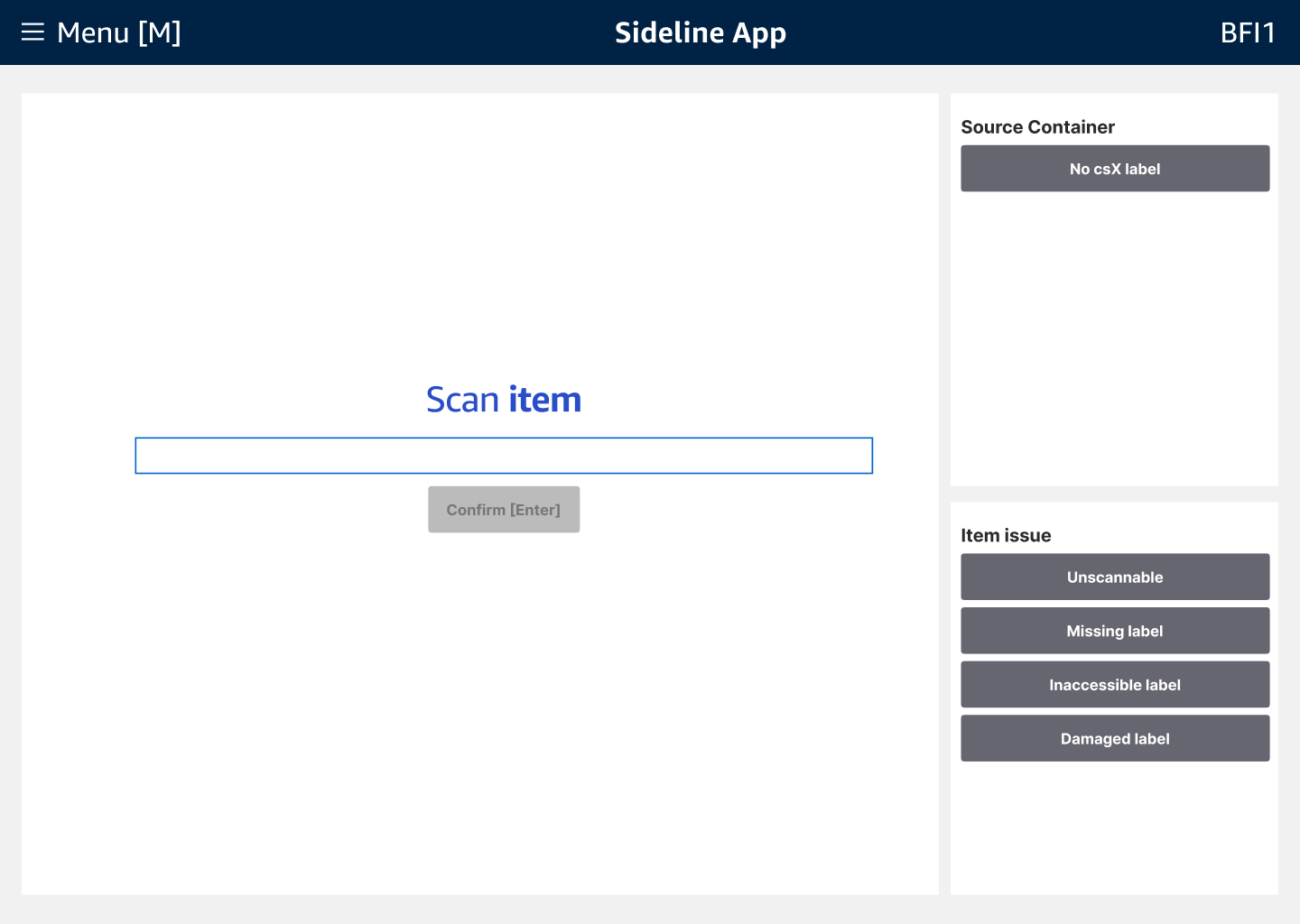
Scanning a container surfaced almost nothing: a barcode, a bin location, a count. To understand what was inside, associates switched to FCResearch and looked items up one at a time.
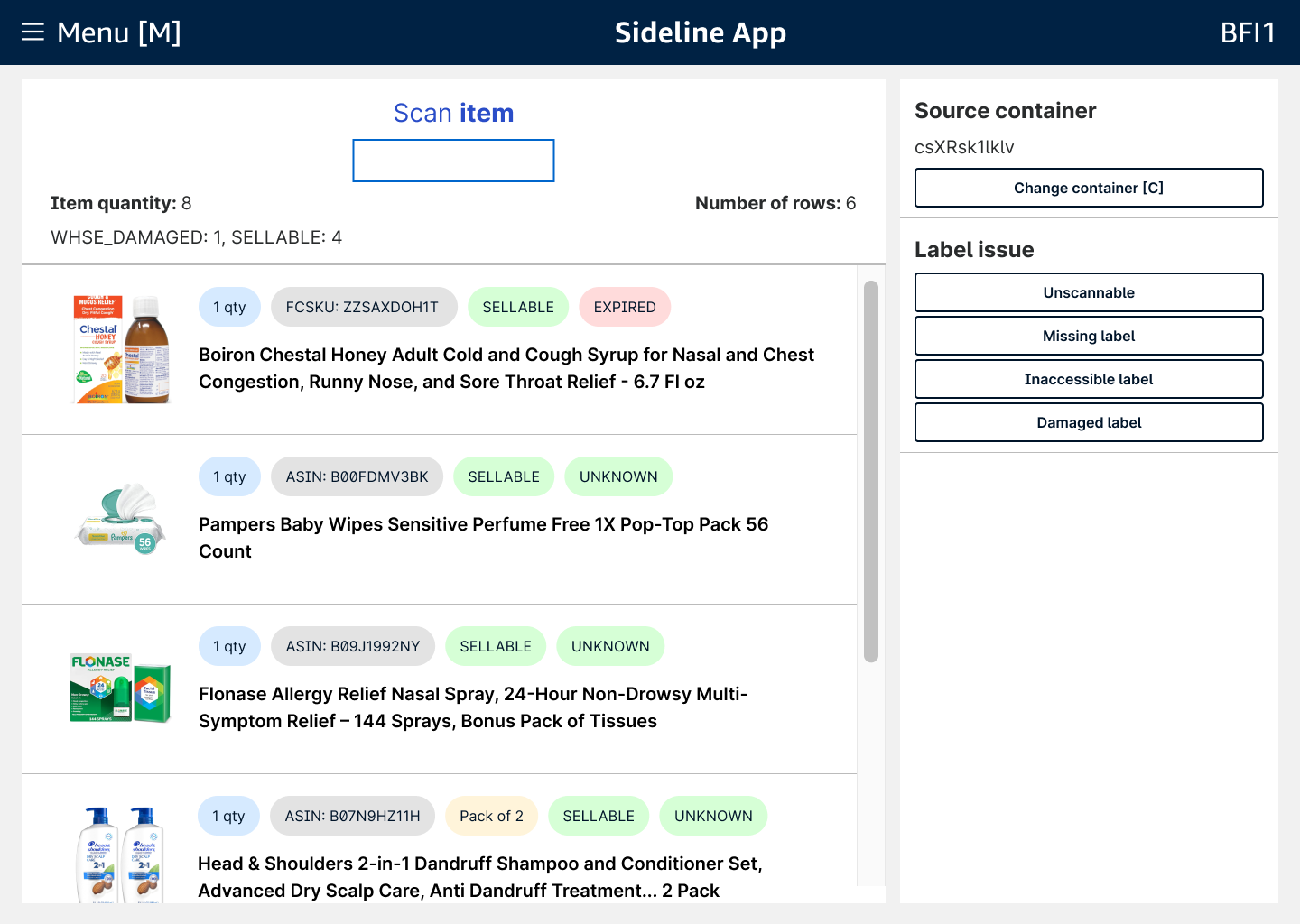
V3 surfaces every item in the container at the moment of scan: catalog images, product titles, quantities, and status. Associates can triage, prioritize, and handle easy fixes without switching tools.
Restructuring around how PSs actually look for information
The Verify page runs as the same component across decant, stow, and pick. Getting it right here meant getting it right across the whole workflow.
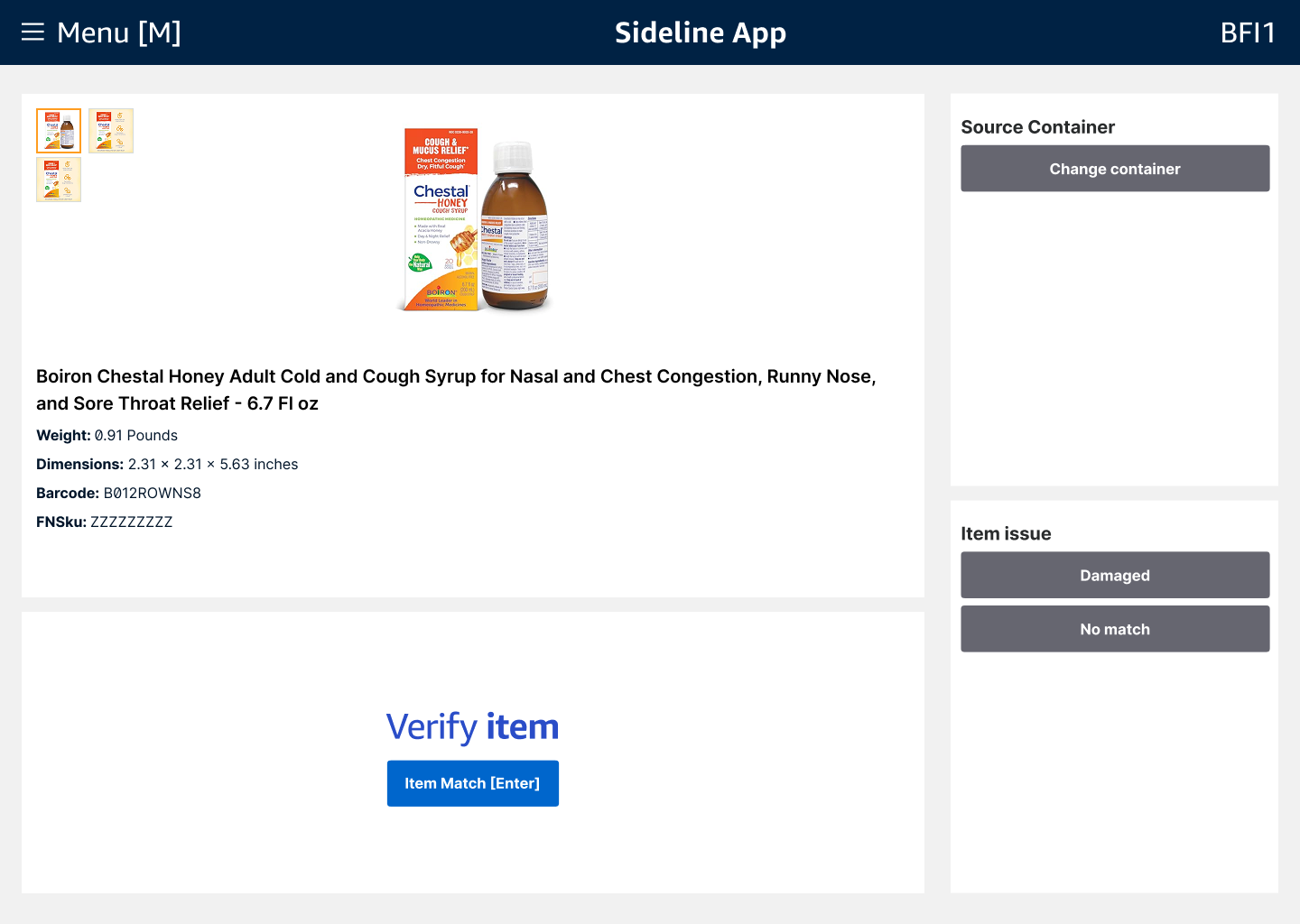
V2: weight, dimensions, barcode, FNSKU. Enough to confirm an item, not enough to resolve why it was a problem. Associates routinely pulled Amazon.com and FCResearch to fill the gaps.
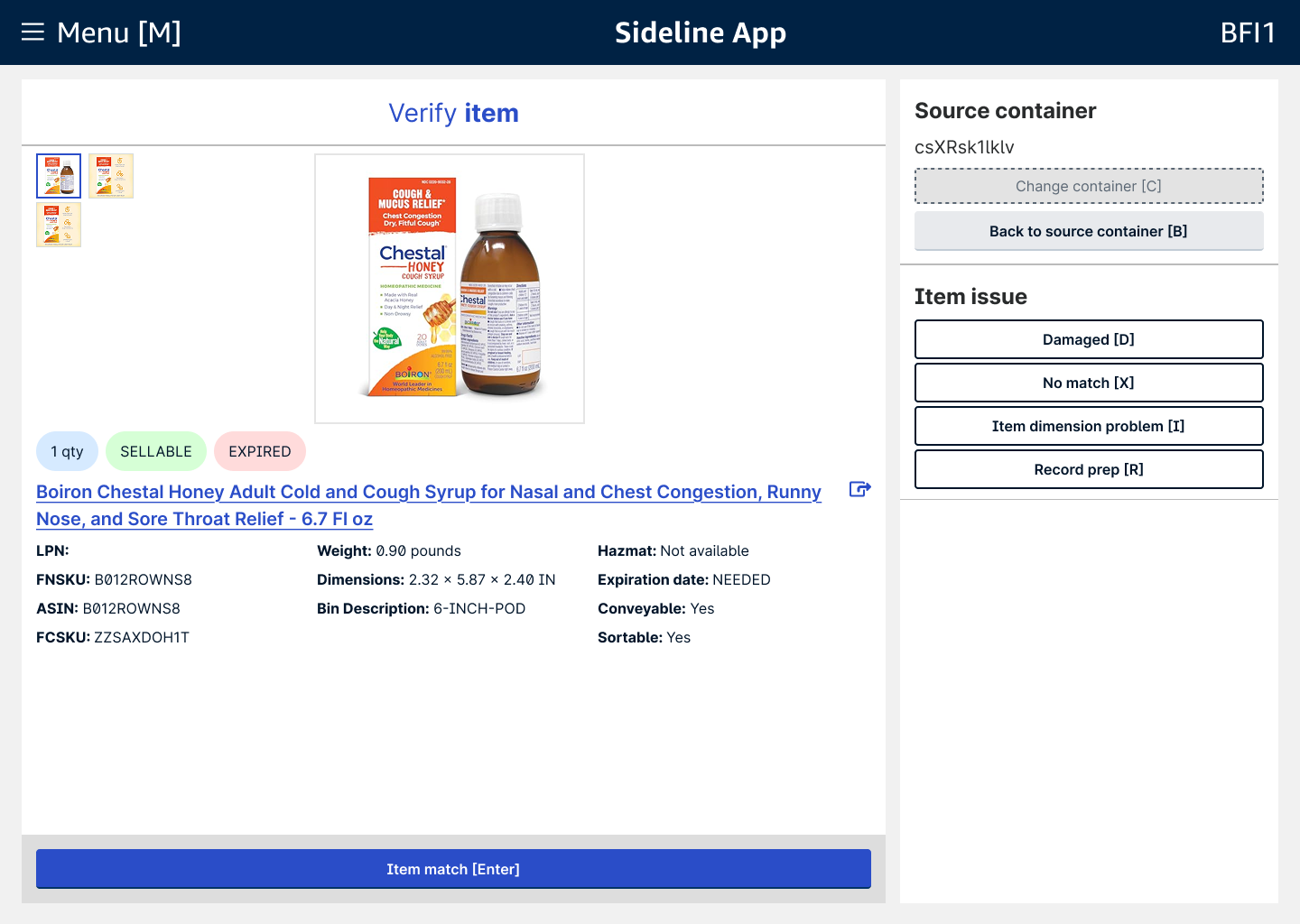
V3 reorganizes around how PSs work: barcode hierarchy, bin fit, packaging requirements, expiration status, and the Amazon.com listing linked to the product name for visual confirmation without leaving the app.
The prototype that mimicked a warehouse
Problem Solve testing had to feel like the real thing. I built a conditional logic prototype in Figma that let associates pick up any item, scan it, and work through the full workflow as they would on the floor. Static screens couldn't validate something this branched.
Feedback didn't wait for formal sessions. A live operational channel kept associates, operations, and stakeholders in one place, so signal came in continuously and unfiltered. I brought builds onto the floor to test in context across sites, regions, and warehouse generations, from older Gen 1 facilities to the newest builds, confirming the workflow held up everywhere associates actually work, not just in ideal conditions.
The numbers that moved
V3 launched worldwide in September 2025. Across 10,000+ associates, the consolidated workflow delivered measurable gains in efficiency, accuracy, and trust.
Within three months of launch, Problem Solve associates had migrated ~80% of processing volume to V3.
What associates said
Feedback from Problem Solve associates following the worldwide launch in September of 2025.
"This is going to save a lot of operational time. Having this information right there so I don't have to switch between tools, even something as simple as the back button. It adds up. I need to show this to everyone on my site."
"Associates testing the beta asked if they could have V3 on their site the next day. Word spread before the worldwide launch: adoption was already building."