Adding product images during a system migration to cut item identification time by 3 seconds and save $9M/yr
Lead UX Designer · Sep 2023–Feb 2024 · ICQA associates worldwide
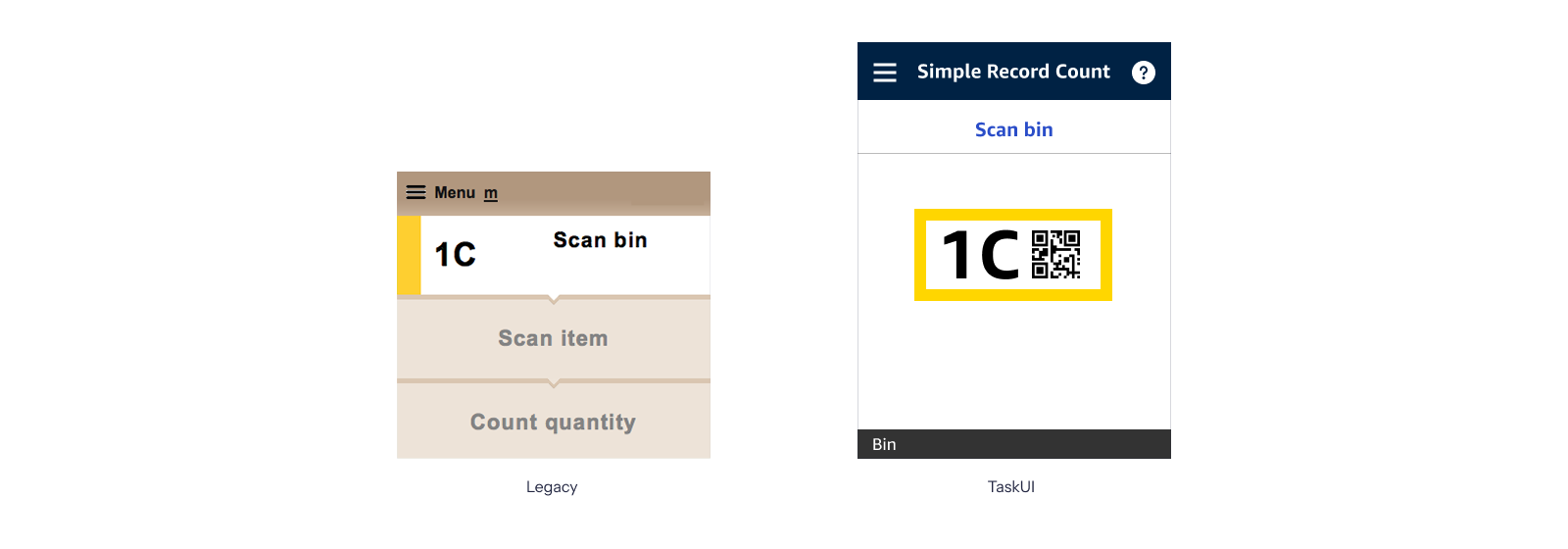
Text-only identification was slow, error-prone, and leaving screen space empty
SRC is the targeted count tool ICQA associates use to verify item quantities in fulfillment center bins, 100-200 counts per shift. V2 gave them a text description and nothing else. When a bin holds multiple similar items, reading a description and matching it to a physical product takes 10-15 seconds. The cost compounds fast.
Designing for a new platform and the warehouse floor
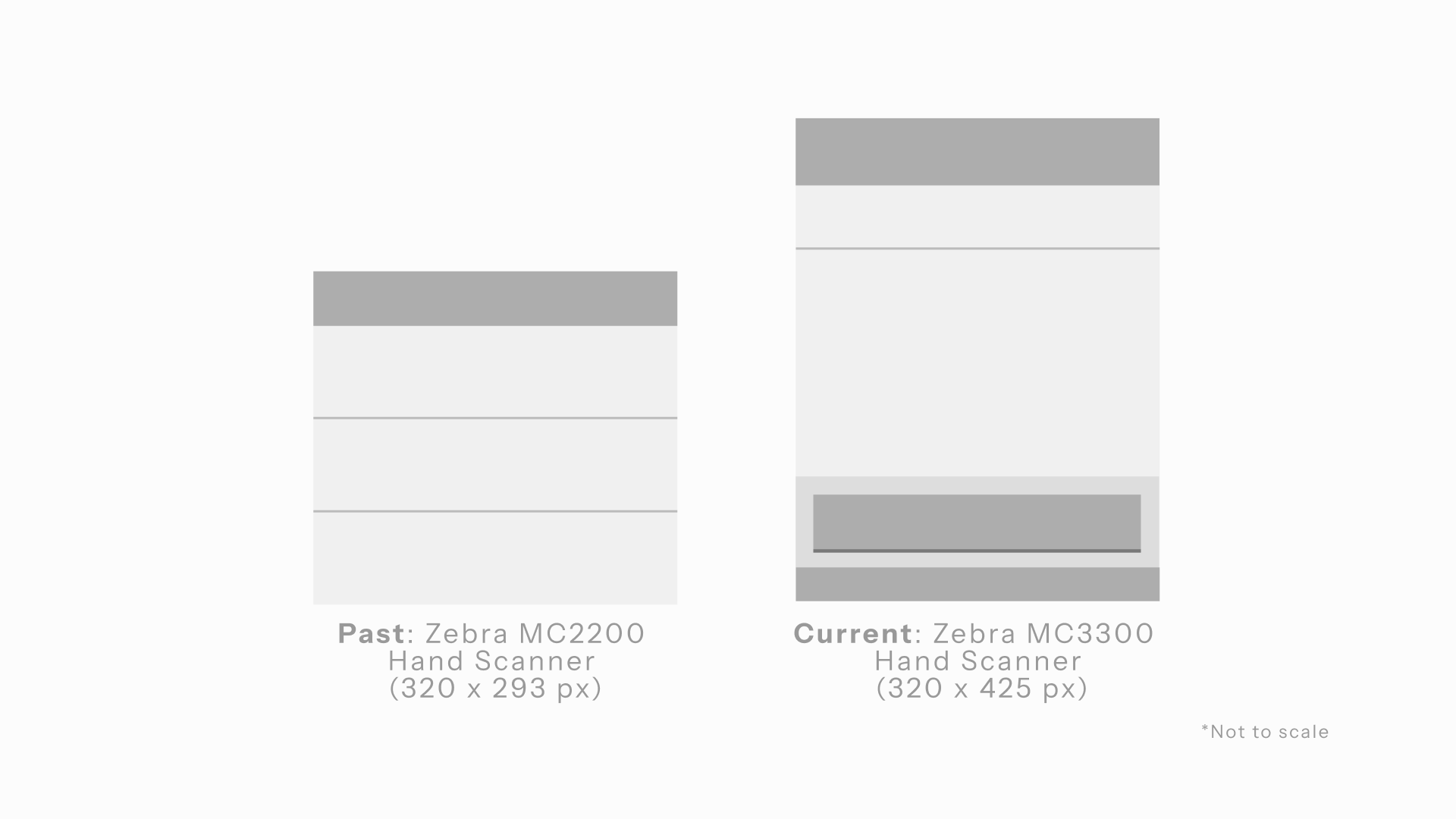
SRC runs on a handheld scanner, gripped in one hand, under bright warehouse lighting by associates wearing gloves. The migration moved the tool from the older Zebra MC2200 to the taller MC3300. A bigger screen V2 was never built to use.
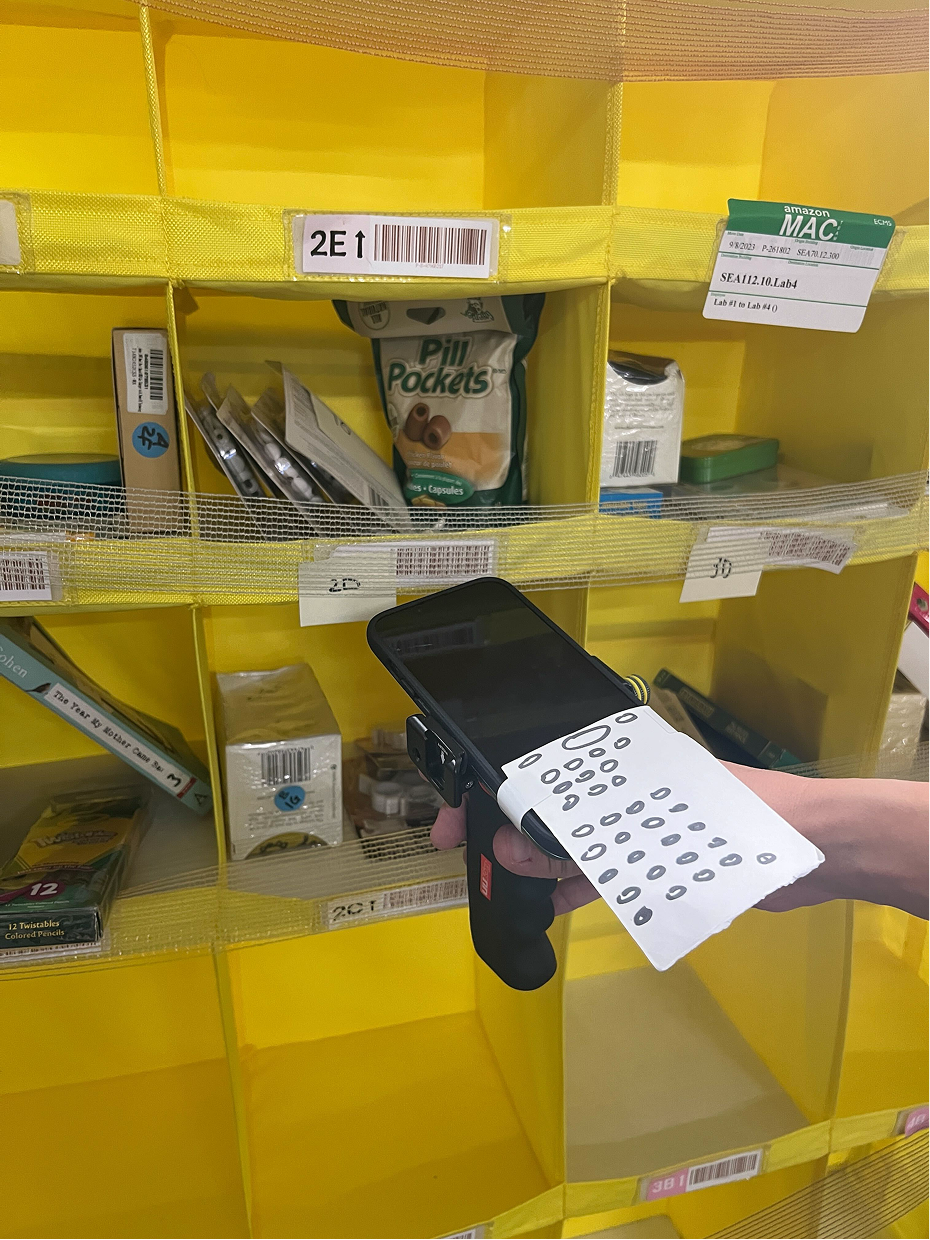
An iPhone, a scanner handle, and a paper keypad
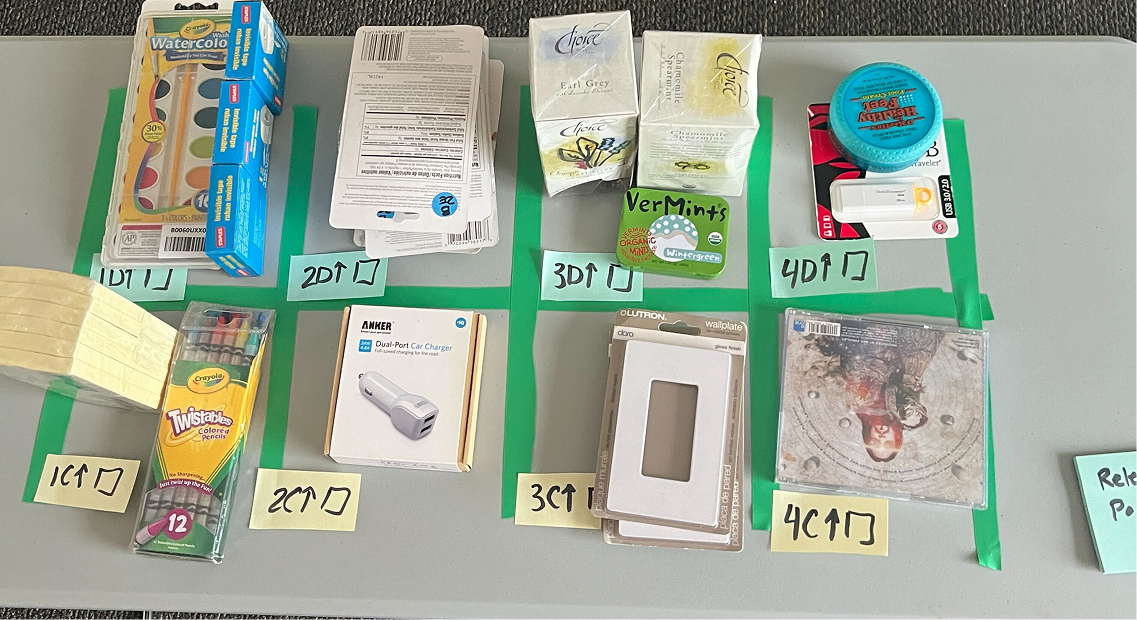
I didn't wait for engineering. I built a clickthrough Figma prototype on an iPhone attached to a real scanner handle, with paper standing in as the keypad: actual warehouse hardware, actual warehouse environment.
One image, placed right, changed everything
One image, placed at the top. Large enough to read at arm's length, positioned before the item details so it's the first thing an associate sees after scanning.
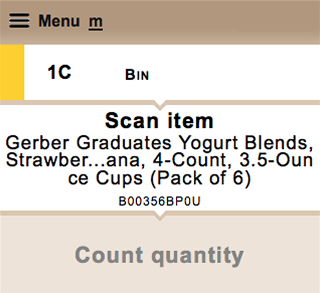
Text description only. Associates read, matched, and identified with no visual reference: 10-15 seconds per item.
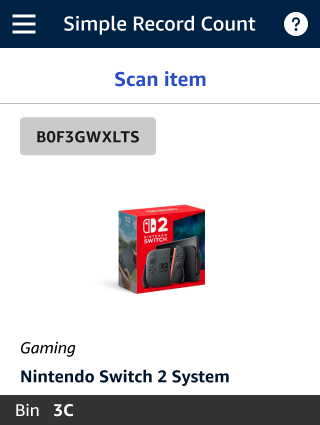
Product image as the primary identifier. Associates confirm at a glance before counting. 3 seconds saved per count.
Product images weren't in the original migration scope
The brief was a tool migration: move SRC to the new platform, maintain existing functionality. Product images weren't planned. I built the case from research: the scrappy prototype had already shown associates responding immediately to the image. I brought that evidence to PM and engineering and got it added as a priority feature.
A feature that wasn't in the brief became the most impactful part of the migration, and the model for similar improvements across other ICQA tools.
Tested in the warehouse, not the conference room
Validation happened in the environment the tool would actually be used in. The scrappy prototype gave us early signal, and we continued testing through iterations before shipping. Most of what we refined was about image placement and loading states, getting the experience right for slow WiFi and busy associates.